In 2026, Monster Hunter Wilds still thrives on the small miracle of a stranger answering your call for help. I have spent the past few evenings testing the SOS flare system from the perspective of a solo hunter who wants to drop into other players' hunts without arranging a full party first. The system is built for exactly that kind of one-off cooperation: you do not need to set up a lobby, invite friends, or commit to a long session. If you are online, you can search for active SOS flares, filter the list to the monster or rank you want, and join a hunt in progress. The flow is quick, but it rewards a little preparation.
The Short Version: What I Do First
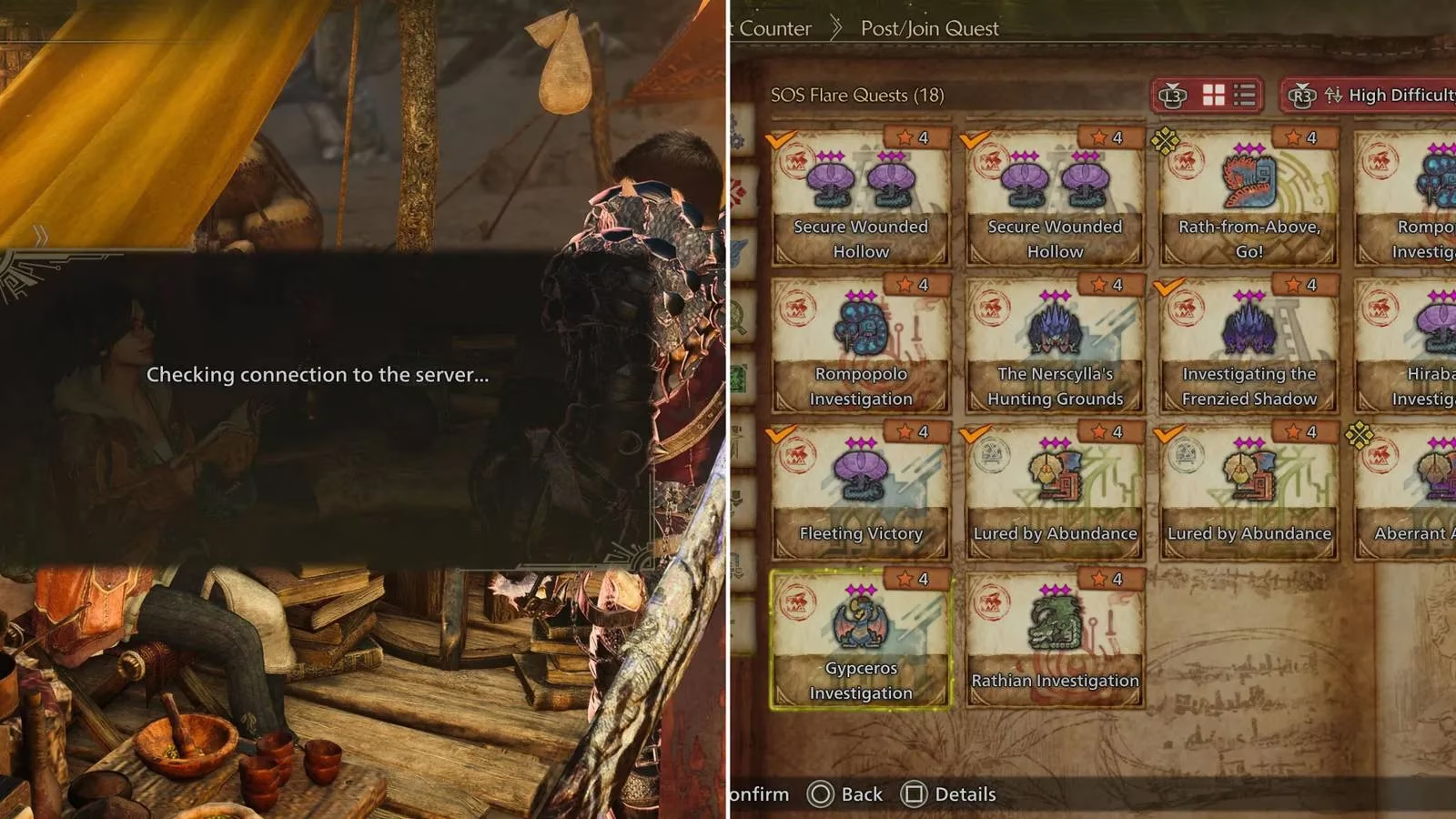
Before I touch any menu, I make sure I am connected online. I can do this when loading into the game, or by interacting with Alma and tabbing over to the Change Lobby menu option. Once I am online, I talk to Alma and choose the first option, Post/Join Quest. From there I scroll down to SOS Flare Quests at the bottom of the following menu. That is the doorway. Everything else is filtering.
SOS flare search is like tuning a shortwave radio in a crowded café: one small twist of the dial and a stranger's hunt crackles into focus. The filter menu is the dial. It lets me decide whether I am chasing a specific monster, a particular difficulty, a quest type, a locale, a language, or a platform pool. Every filter also has an Any option, which is useful when I just want to jump into a hunt and help.
The Filters I Actually Use
When I open the SOS Flare Quests menu, the game gives me a set of filters. I tested each one and found the following settings most useful for random hunts:
| Filter | What it controls | My usual setting |
|---|---|---|
| Target | The specific monster you want to hunt | Any, unless I need parts |
| Quest Difficulty | High Rank, Low Rank, or star difficulty | High Rank for rewards |
| Quest Type | Capture, Hunt, or Slay | Hunt or Slay |
| Locale | The region where the hunt takes place | Any |
| Language | The language chosen by the host player | My own language |
| Platform Permissions | Cross-platform or current platform only | Cross-platform when available |
The Target filter is the most surgical. If I need a specific monster's materials, I can choose that monster and let the search do the work. The Quest Difficulty filter is the second most important for me, because High Rank hunts tend to offer better rewards and more experienced random players. Quest Type matters if I want a capture rather than a slay, though I often leave it on Any. Locale and Language are comfort filters: they do not change the hunt itself, but they can make communication and pacing smoother. Platform Permissions is the one I check when I want the widest possible pool of players.
Reading the Hunt List Before I Join
After I choose my filters, I select the search button. The next menu shows all quests I can join based on my filters and the host player's filters. I do not join the first hunt I see. I hover over each option and read the information: the hunt details, how long ago the hunt started, and how much time the party has left in total. That last part matters. Joining a hunt that is nearly over is like stepping onto a moving train through a side door; I get the ride, the rewards, and then I am back on the platform. Joining too late can mean missing the fight and collecting only the tail end of the rewards.
Once I pick a hunt, I select the join option and confirm it in the next menu. The game loads me into the player's world. I stay there until the quest is completed or the party is wiped out. When either condition is met, I receive the quest rewards and any loot dropped from the monster, and I am sent back to my own world. The whole loop is clean: search, filter, read, join, hunt, collect, return.
Why This Still Matters in 2026
Monster Hunter Wilds has plenty of multiplayer elements, but SOS flares remain the most frictionless way to hunt with random players. They are not a substitute for a regular party; they are a side door for single hunts. I like that I can help someone without scheduling anything, and I like that I can target a monster I need without waiting for a friend to log on. The filter menu is a sommelier's tasting card for monster encounters: I choose the vintage, the region, and even the language of the table. In 2026, with the game still active and cross-platform play widely used, that flexibility is the point.
My advice is simple: connect online, talk to Alma, open Post/Join Quest, scroll to SOS Flare Quests, set a few filters, and read the hunt timer before you commit. Do not treat the search as a slot machine. Treat it as a dispatch board. The more precisely you set your filters, the more likely you are to land in a hunt that fits your goals, your schedule, and your appetite for a good fight. 🎯